Learning Ceph by Building a Three-Node Lab
Started: 1st Oct 2026 · Last updated: 5th Oct 2026 · Lab status: three nodes healthy; storage experiments in progress
Why I started
I applied for a role where the organisation uses Ceph, To familarise myself I did a search on internet to understand it, I found their docs very interesting and easy to understand so I spent an evening going through all, then I thought what if I build a lab to understand how everything fits and possibly create a scenario where something fails. Building is best way to learn imo and I have hardware to support that.
This article will record my understanding and findings while playing in the homelab.
Ceph in my own words
I've worked in a warehouse in my previous life so I will explain CEPH using that analogy. Imagine a big datacentre that datacentre is like a warehouse where products are kept, moved, have labels, each product has designated section, if the warehouse is efficient then product is kept at its designated place but come on if that's was the case then we wouldnt see problem of lost parcels. Okay okay thrown that imagination in bin, another one..imagine data as products and disks as racks in a warehouse, now each product needs a place and depending on importance of product n number of copies are made which is decided by owner of warehouse.
CEPH is an open-source distributed storage system that handles this kind of placement of data. CEPH uses this algorithm called CRUSH (Controlled Replication Under Scalable Hashing) which lets customers(clients) find data location directly instead of querying a central service which then goes to find data.
The storage interfaces
CEPH offers 3 ways of storing data.
- CephFS: Linux like filesystem
- RBD: Block devices.
- RGW: An object store with S3 compatiable APIs. (we will be deploying this)
RADOS: It is the object store which sits at bottom layer and all interfaces are made on top of this.
The parts I needed to understand
A CEPH cluster is made of daemons that run on hosts.
- Monitor: It has map of the cluster state and it also handles authentication
- quorum: This is a state maintained by ceph where majority of monitors are active.
- Manager: It tracks metrics and state of cluster like performance, load etc. It has python modules which are used with "
ceph orch". - OSD: One OSD manages one unit of storage (1 HDD or 1 SSD). It is like worker of warehouse, it stores the data, replicates and performs other similar functions.
- CEPH way of storing data is putting in logical pools as objects, when an object needs to be stores its name is hashed in a placement group and using CRUSH it calculates which OSD will store that placement group, there's no central lookup table.
My lab design
For this lab I chose 3 rocky linux 9 VMs, connected to a private switch called CephLab. Each VM has a 20 GB OS disk and three 20 GB virtual disks for Ceph data.
| VM | CephLab address | CPU | RAM | Data disks |
|---|---|---|---|---|
| ceph1 | 192.168.100.11 | 2 vCPU | 6 GB | 3 × 20 GB |
| ceph2 | 192.168.100.12 | 2 vCPU | 6 GB | 3 × 20 GB |
| ceph3 | 192.168.100.13 | 2 vCPU | 6 GB | 3 × 20 GB |
The private switch worked for communication between the VMs, but it had no route to the internet. I found that out when package installation failed. I added a second NIC to each VM on Hyper-V’s Default Switch so they could reach package repositories.
The two NICs separate my lab traffic from internet access. They do not give Ceph separate public and cluster networks: both Ceph traffic types currently use 192.168.100.0/24. I understood that distinction only after building the lab.
Milestones completed
4/10/2026 6pm
- VM, disk, and network setup
- SSH, package access, and time synchronisation
- Bootstrap and adding the other hosts
- OSD deployment and health verification
Current verified state
Command used ceph -s
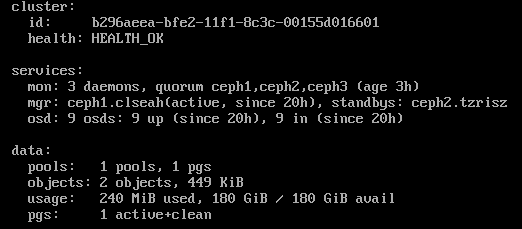
5/10/2026 2:00pm - Object storage and my first failure test
Deploying RGW
- RGW (RADOS Gateway) is an interface that provides api compatible Amazon S3, in warehouse analogy its like a frontdesk where you go to ask for files, it does more than that but for this lab this definition is enough.
- I built two gateway daemons accidentally I wanted only 1 but because I was not specific in command it created 2 by default, which is nice I guess, later I can insert load balancer in front of them.
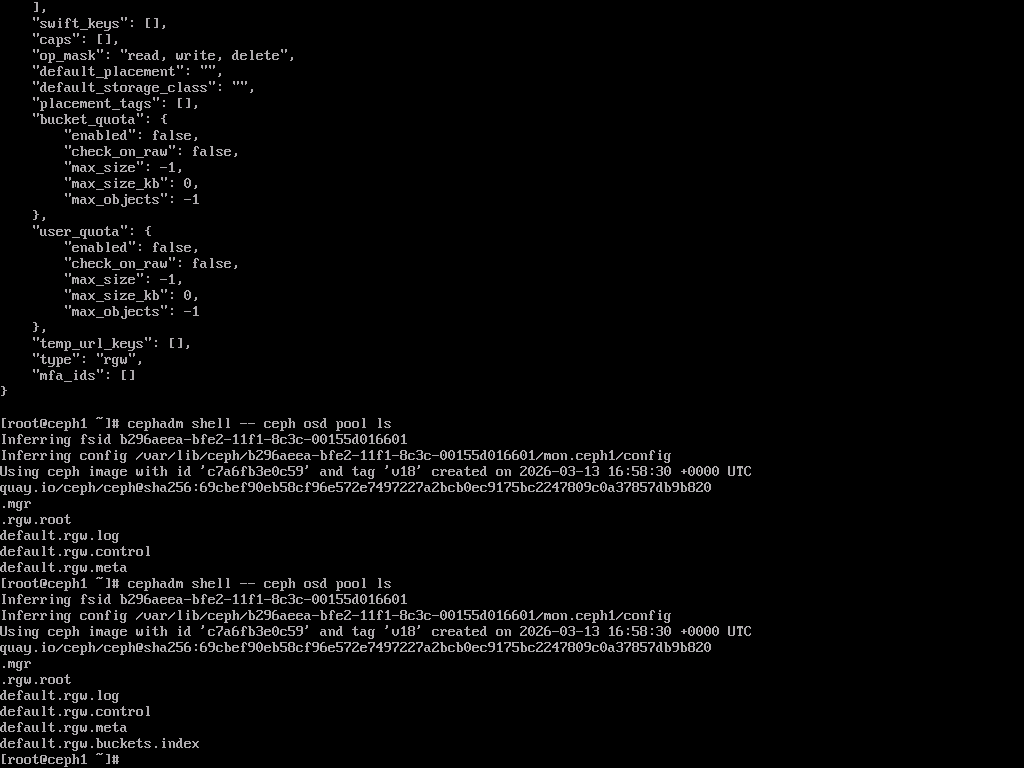
- It created 5 pools, you can see in screenshot that it has not yet created data pool.
My first S3 round trip
- I used
"cephadm shell -- radosgw-admin user create --uid=labuser --display-name="Lab User"", this create a key access and key by default, I wanted my own so I ran another command for key creation and configured as I wanted it. - I chose ceph2 to run AWS, downloaded it using python3-pip and configured it using "perth" as location, because perth is not in the zonegroup of AWS my make bucket command was rejected I changed the location to "us-east-1" and then ran
"aws --endpoint-url http://192.168.100.11:80 s3 mb s3://testbucket"which was successful.
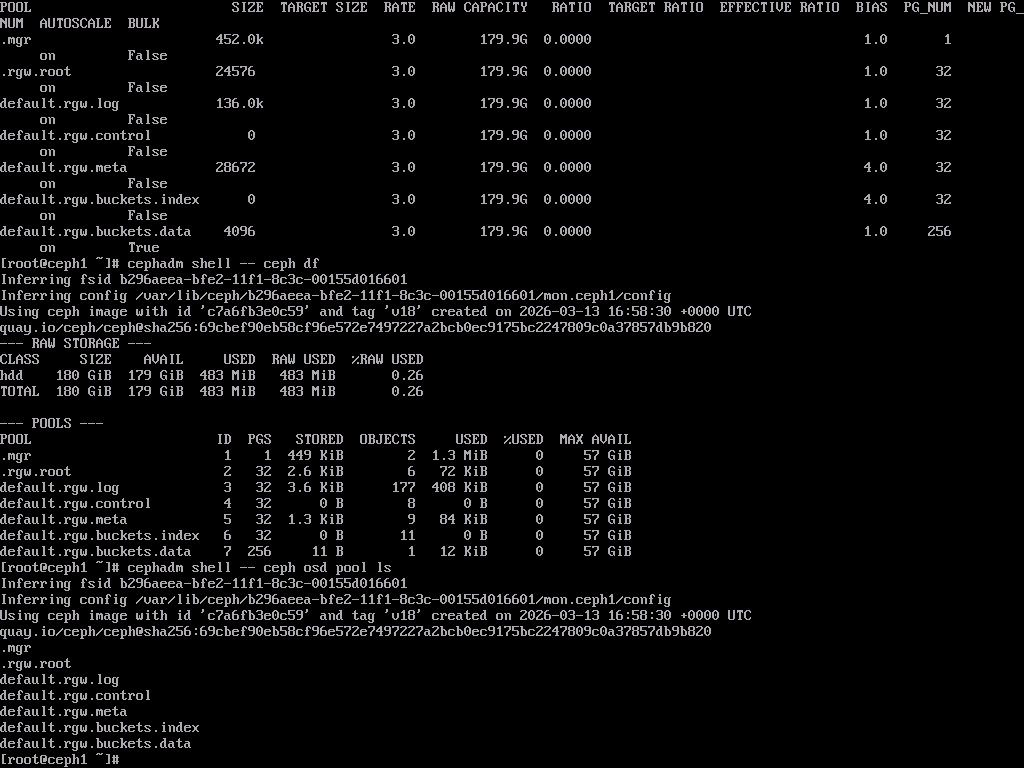
Then I uploaded 2gb of data so I can actually see something when one of OSD goes down.
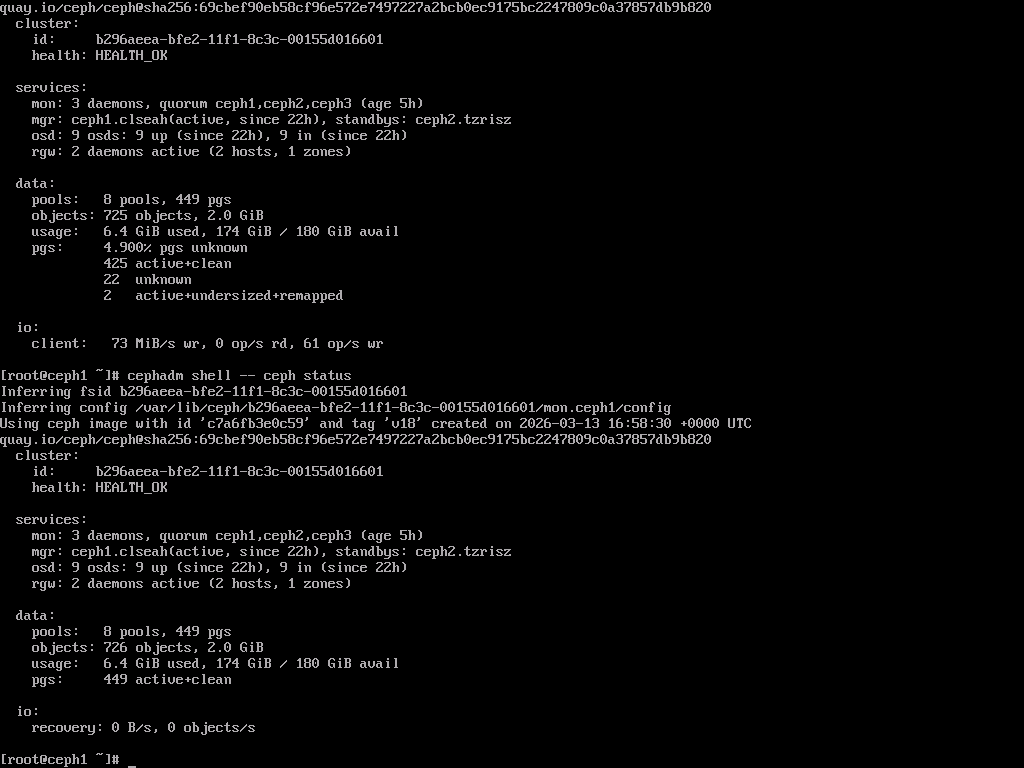
After uploading 2GB:
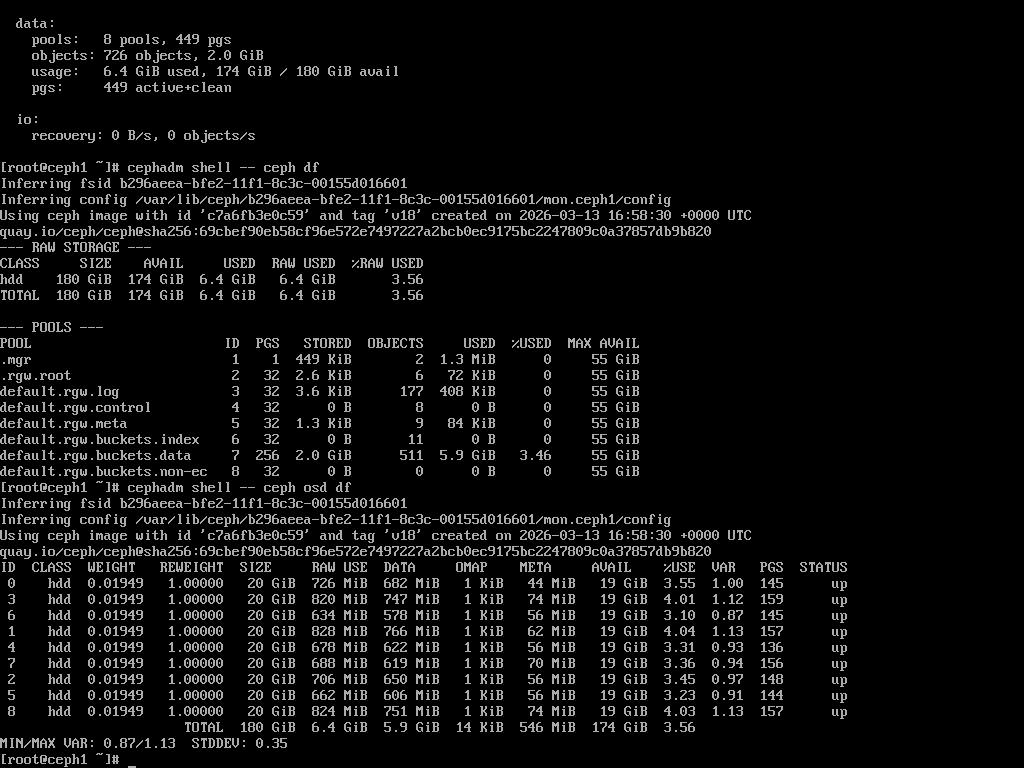
I downloaded the data back to ceph2 host from which it was uploaded to check the whole pipeline.
Understanding the storage usage
- When uploading 2GiB I knew it will create 3 copies for each file so the total should be around 6GB, we can see in screenshot it is around 5.9GiB probably rounding it.
Stopping one OSD
- I then decided to do a test failure by stopping one of OSD which is as close as real failure I could get. I chose osd.0 as it was on ceph1 and it would be just easier for me test download from ceph2. My predictions were that I will see the ceph status to health_warn, 1 osd will be down and pgs related to will be affected.
- I setup a monitoring by runny
ceph -won ceph3 to see what happens at logging level. - After stopping osd.0 , I went to ceph3 to see what's happening and it instantly started recording:
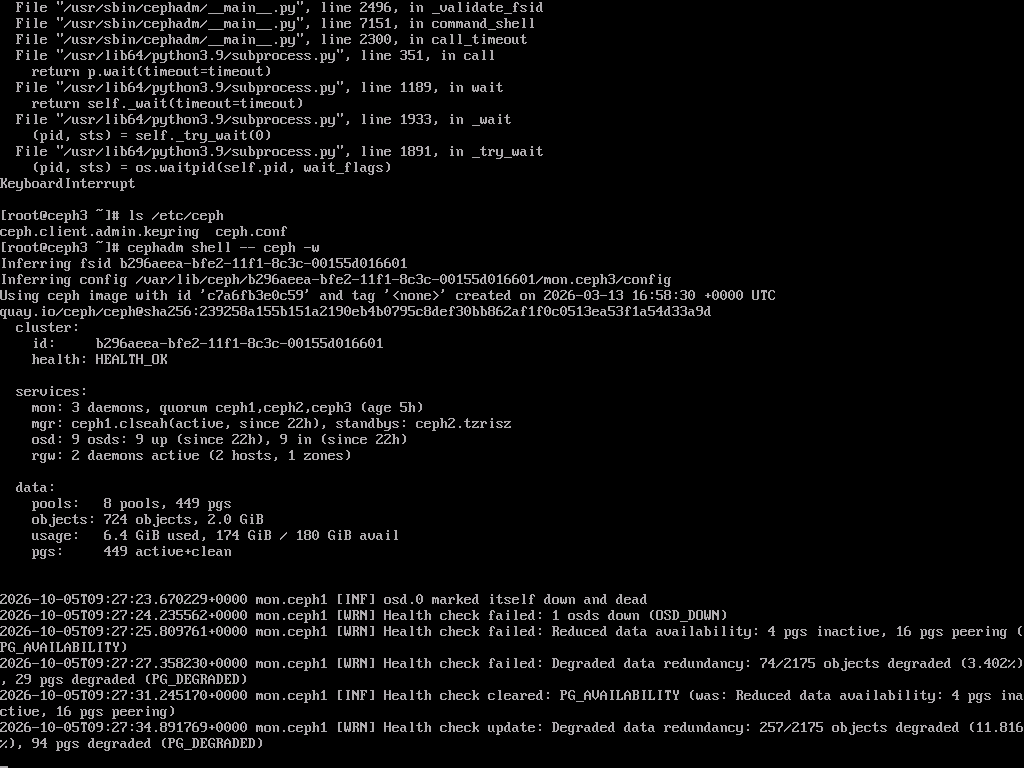
- Then I ran health detail, status and osd tree on ceph1 to see what went down:
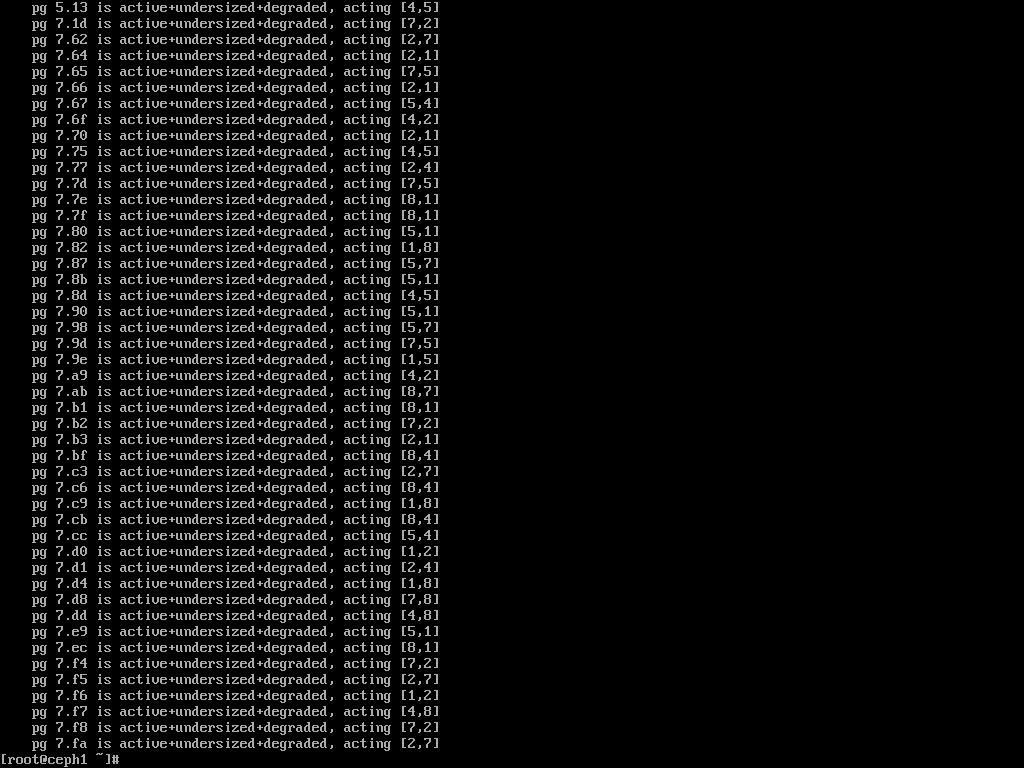
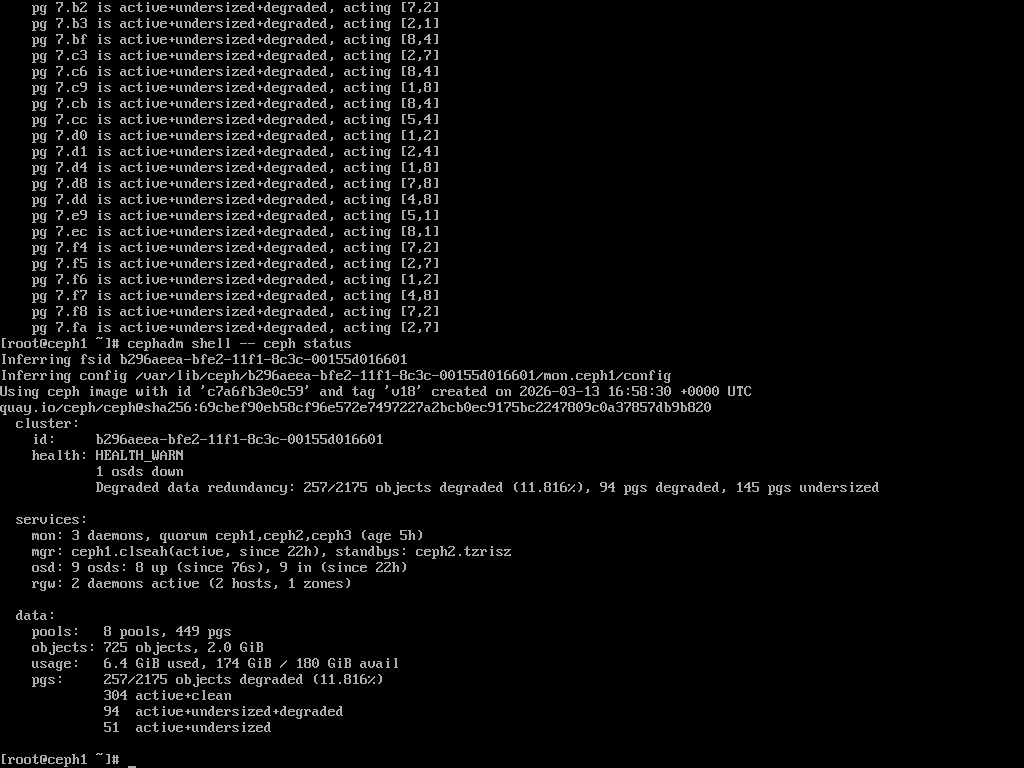
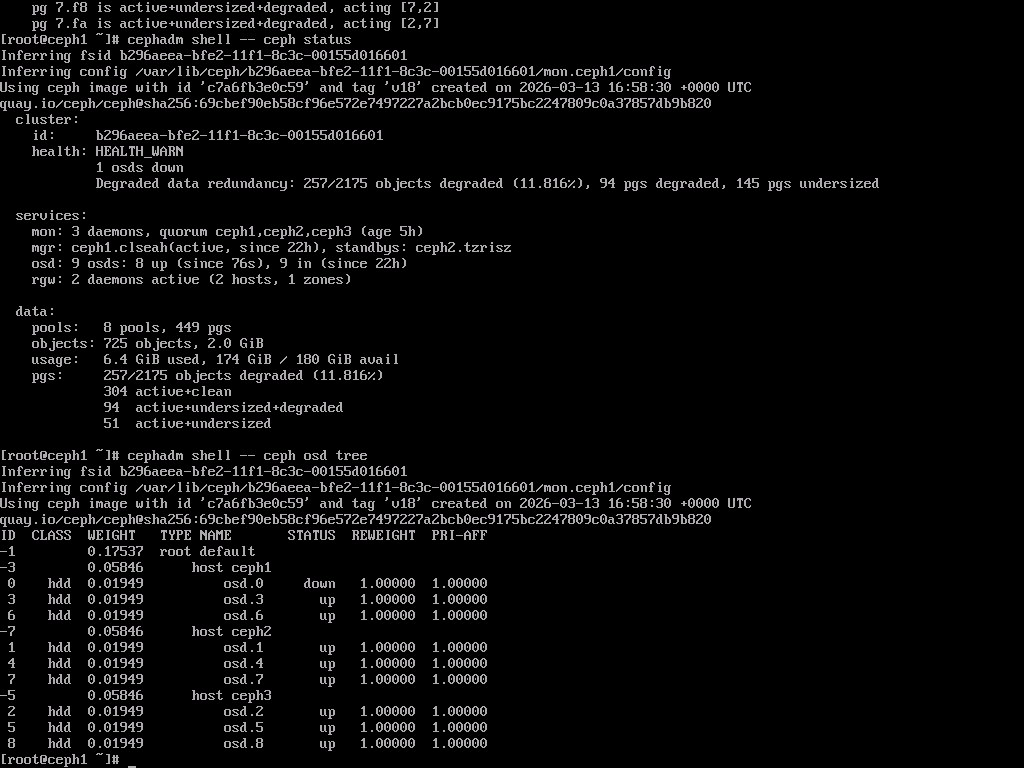
- As you can see in screenshots 145 pgs were affected which were associated with that 1 pool which was down.
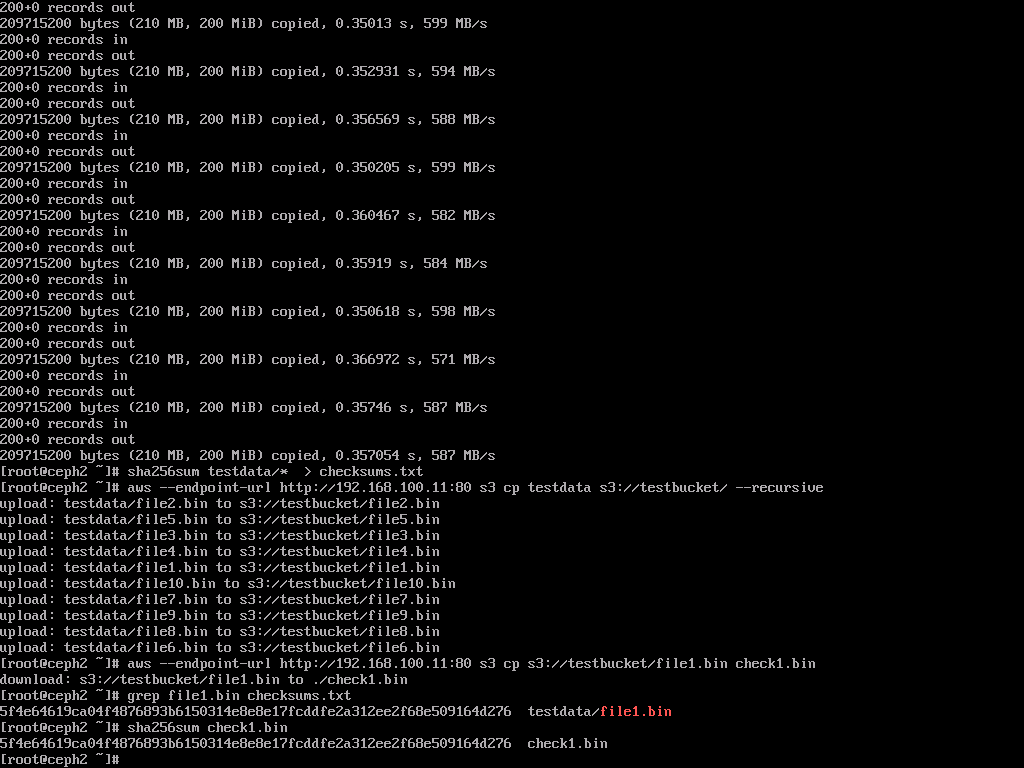
- Then I ran another download from ceph2 to see the availability, because it was fake data I relied on sha256 to compare it and it matched which showed the availability of data even with 1 osd down:
Restarting it and watching recovery
- After the test I started osd.0 and recovery took around 8 seconds.
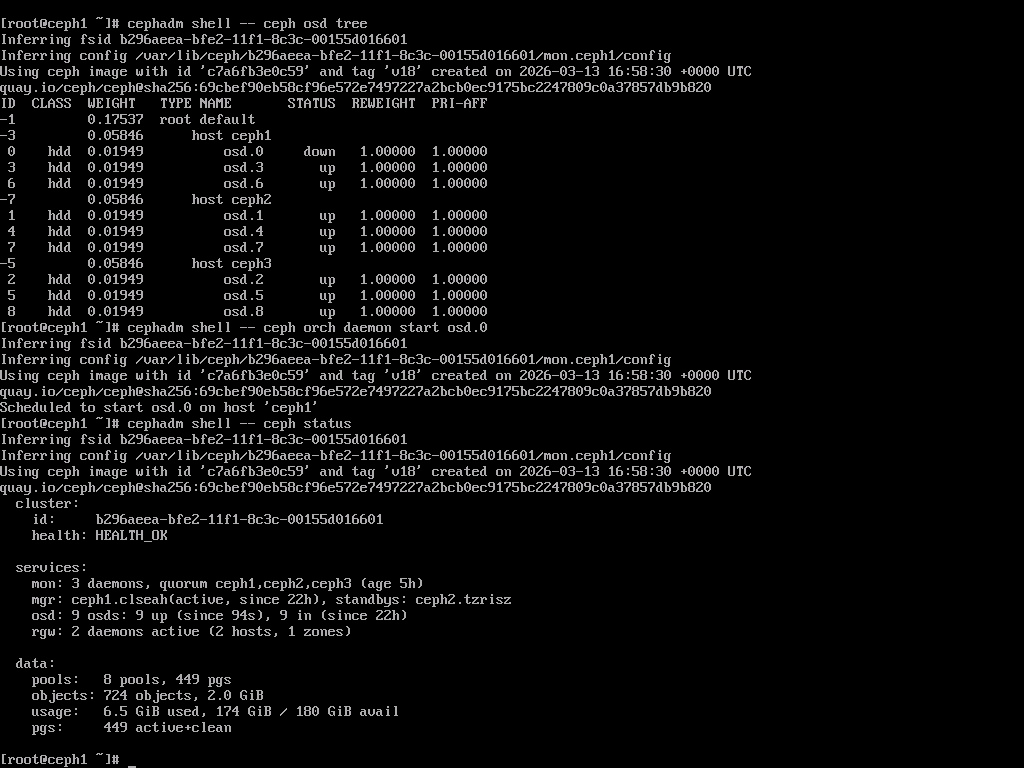
- Some thing which I noticed, it did log based recovery and I read that if the osd takes more than 10 minutes it then does "backfill" recovery. Basically "log based" recovery works by tracking PG logs for write operations and sync any missing data, backfill is full restore of data which will ofcourse take more time than log based.